从 Hexo 到 Hugo, 以及一些想说的话
如果文章中的图片加载不出来, 请您考虑使用代理软件.
此文章使用 CC-BY-NC 协议.
目录
前言
如果您是本站的老读者, 一定见证过这样一件奇异的事:
网站的框架, 域名和主题明明都是好好的, 却还是变来变去!
没错, 这也就是本站站名的由来. 到了今天, 已经是第五次大变革.
我好像就是如此一个人. 无论是手机系统, 电脑系统, 亦或是博客系统, 总是在稳定下来后想要换一换.
那么, 先回忆一下
第一次写博客, 用的是 WordPress. 网站至今还在: https://thdbd666666.wordpress.com/
在那之前, 我也写过网站. 用那个什么 所见即所得 的写 html 的软件一行一行敲的. 那会儿找到很好看的 css 和 js 都会写一个新网页扔里面. 不过严格来说, 并不能算 网站, 因为我只是在浏览器里预览那些 html, 跳转也是如此.
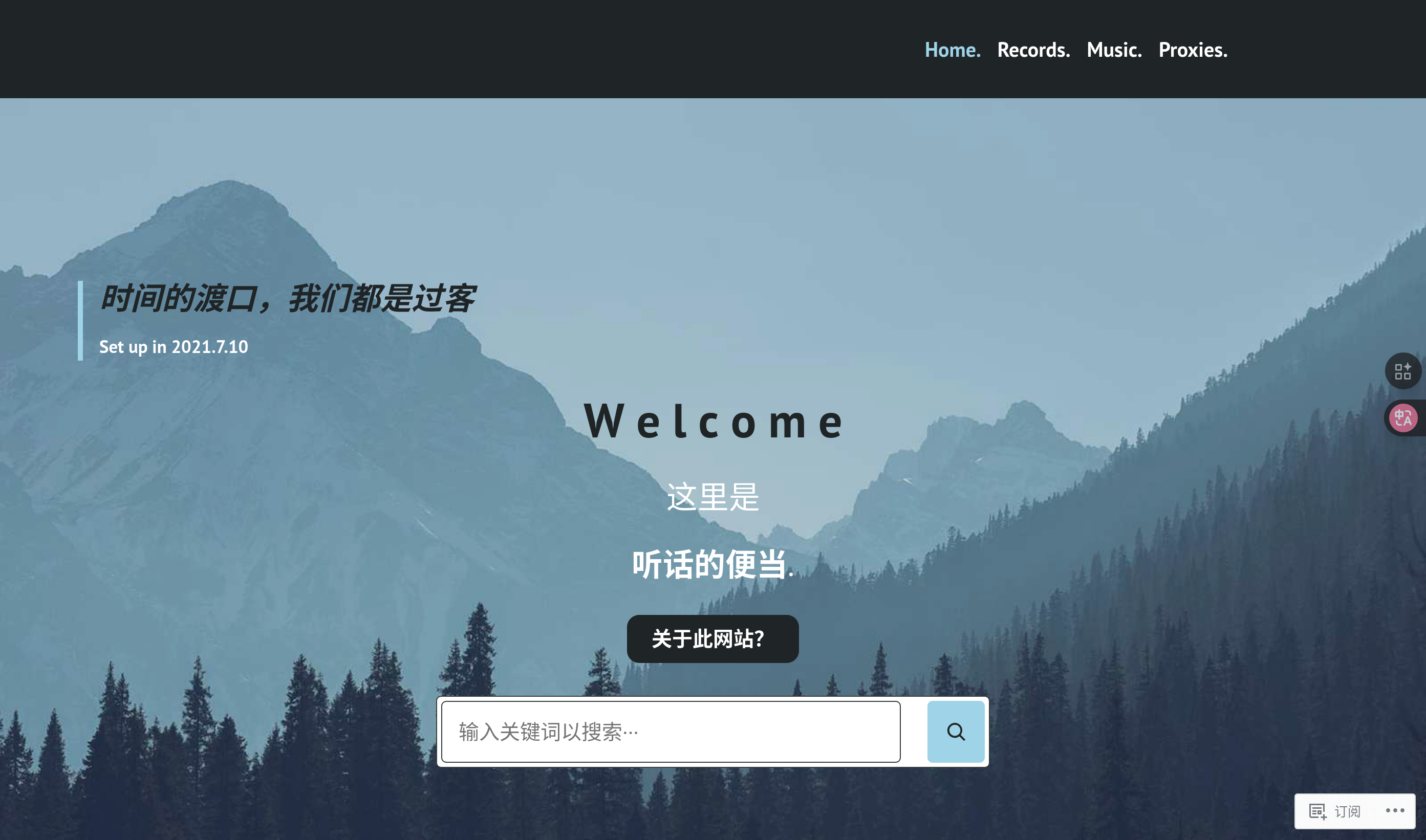
2021年7月10日, 已经过去这么久了…
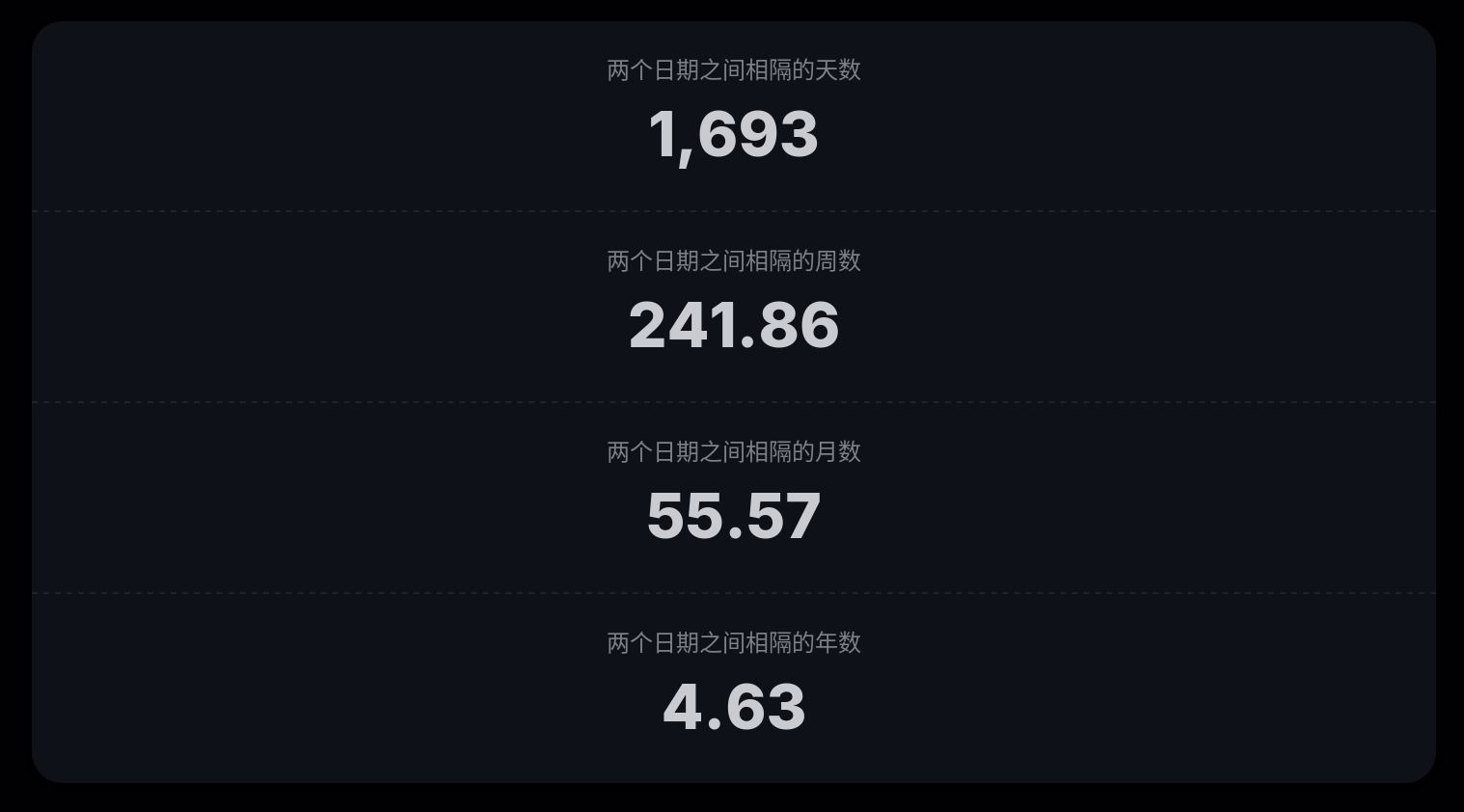
当时就是觉得有一个自己的网站很酷, 于是有什么东西都想写下来.
渐渐地, 因为会员限制, 主题限制, 以及 “不酷” 的广告横幅, 我想换个方式了.
用 WordPress 时, 我还不知道什么叫 markdown, 也不知道所谓 静态博客 和 动态博客.
我的关键词是 免费建站, 博客. 这样一番搜索下来, 我才知道了上面这三个东西.
以及我的梅开二度: GitBook: https://thdbd.gitbook.io/thdbd/.
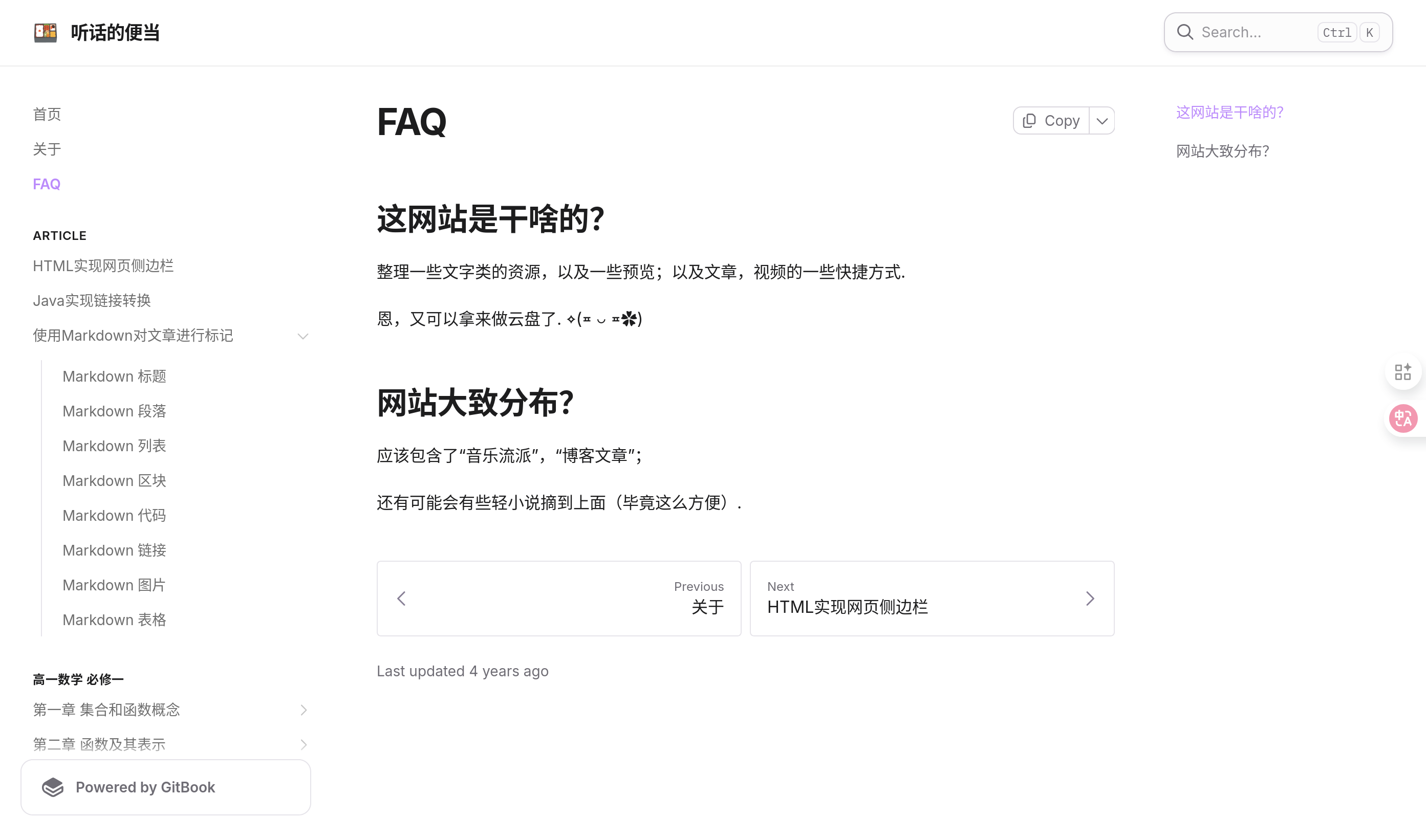
GitBook 至今也是很好看啊, 感觉还是能派上一些用场的.
正如那时所言, 学会 markdown 后, 加以 GitBook 真的很方便.
不过后来知道了 Hexo 的存在后, 我又创建了第三个博客: https://thdbd.github.io/.
这也是一个 GitHub Pages, 不过用的是另一个账号.
梅开三度, 我在此期间学会了不少东西: 学会 git, 学会 python, 学会写 tg bot 等等.
这个时期也产出了大量的博客文章.
直到那次换系统没备份, 丢了许多文章, 自那以后我才意识到备份的重要性.
于是, 卷土重来, 梅开四度. 也就是本站的域名.
梅开四度是时间存在最长的一 季. 我的博客阅读量上来了, 甚至开始有了评论.
这些都让我欣喜若狂.
不过我还是想换. 我想换主题, 想换个简洁一些的, 移动端 UI 美观的, 以及 读感 更好的.
于是我想到了 Hugo, 于是我找到了 Paper 主题.
其实在文章数量不多的情况下, Hugo 跟 Hexo 的生成速度相差不大, 而且我目前用的这个主题的功能也不如之前的多.
可我还是换了.
我想, 可能是因为在这些换来换去中, 我见过了太多的错, 踩了太多的坑, 即使遇到新的问题, 我也不怕了.
我花了3个小时来设置我的新的网站.
转到 Hugo 的一些操作
Gemini 为我总结了一些差别:
| 特性 | Hexo | Hugo |
|---|---|---|
| 安装依赖 | 需要 Node.js, npm | 单一二进制文件(解压即用) |
| 文章目录 | source/_posts | content/posts |
| 静态资源 | source/images | static/images |
| 配置文件 | _config.yml | hugo.toml(也支持 yaml/json) |
| 渲染引擎 | Nunjucks / Swig / EJS | Go Templates |
Hugo 存在于 openSUSE 的包管理器中, 且没什么依赖真是一件好事.
原先都是为了 Hexo 这碟醋装了 nodejs, npm 一系列依赖, 如今储存空间又大了一些.
建站
hugo new site 博客
cd 博客
git init
git submodule add https://github.com/nanxiaobei/hugo-paper themes/paper
四条命令完成建站.
同时给大家分享一下我的配置文件:
baseURL = 'https://wzk0.github.io/'
languageCode = 'zh-CN'
title = '便当的梅开五度'
theme = "paper"

[taxonomies]
  category = 'categories'
  tag = 'tags'
  series = 'series'

[markup]
  [markup.goldmark]
    [markup.goldmark.renderer]
      unsafe = true

[params]
  # color style
  color = 'linen'                           # linen, wheat, gray, light

  # header social icons
  twitter = 'thd_bd'               # twitter.com/YOUR_TWITTER_ID
  github = 'wzk0'                 # github.com/YOUR_GITHUB_ID
  rss = true                                # show rss icon

  # home page profile
  # avatar = 'thdbd@qq.com'                 # gravatar email or image url
  # name = '听话的便当'
  # bio = 'YOUR_BIO'

  # misc
  disableHLJS = false                        # disable highlight.js
  disablePostNavigation = false              # disable post navigation
  monoDarkIcon = true                       # show monochrome dark mode icon
  gravatarCdn = 'GRAVATAR_CDN_LINK'         # e.g. 'https://cdn.v2ex.com/gravatar/'
  math = true                               # enable KaTeX math typesetting globally
  localKatex = false                        # use local KaTeX js/css instead of CDN
  favicon = "favicon.png"                   # customize the default favicon
  appleTouchIcon = "apple-touch-icon.png"   # customize the default Apple touch icon

  # RTL supprot
  direction = "ltr"                         # RTL support for Right-to-left languages

  # giscus
[params.giscus]
  repo = 'wzk0/my_giscus'                 # see https://giscus.app for more details
  repoId = 'xxxxx'
  category = 'Announcements'
  categoryId = 'xxxxx'
  mapping = 'pathname'
  theme = 'light'
  lang = 'zh-CN'

[[menu.main]]
    identifier = "tags"
    name = "标签"
    url = "/tags/"
    weight = 1

[[menu.main]]
    identifier = "categories"
    name = "分类"
    url = "/categories/"
    weight = 2

[[menu.main]]
    identifier = "about"
    name = "关于"
    url = "/about/"
    weight = 3
配置
对于 标签, 分类 和 关于 三个页面, 使用以下指令新建:
hugo new content about.md
hugo new content tags/_index.md
hugo new content categories/_index.md
对于 标签 和 分类 页面, 个人做了一些更改:
👇 博客/themes/paper/layouts/_default/list.html
{{- define "main" -}}

{{- if not .IsHome -}}
{{- if or (eq .Type "tags") (eq .Type "categories") -}}
<h1 class="mb-14">
  # {{ .Title }}
</h1>
{{- end -}}
{{- end -}}

{{- $pages := .Pages -}}
{{- if .IsHome -}}
{{- $pages = where site.RegularPages "Type" "in" (site.Params.mainSections | default (slice "posts")) -}}
{{- end -}}

{{- $paginator := .Paginate $pages -}}

{{- range $index, $page := $paginator.Pages -}}

{{- if and $.IsHome (eq $paginator.PageNumber 1) (eq $index 0) -}}
{{- $avatar_url := $.Scratch.Get "avatar_url" -}}
{{- if or $avatar_url site.Params.name -}}
<div class="mb-12 flex items-center">
  {{- if $avatar_url -}}
  <div
    class="h-24 w-24 shrink-0 rounded-full border-[0.5px] border-black/10 bg-white/50 p-3 ltr:mr-5 ltr:-ml-1 rtl:-mr-1 rtl:ml-5 dark:bg-white/90!">
    <img class="not-prose my-0 h-full w-full rounded-full bg-black/5! hover:animate-spin dark:bg-black/80!"
      src="{{- $avatar_url -}}" alt="{{- site.Params.name | default site.Title -}}" />
  </div>
  {{- end -}}
  {{- if site.Params.name -}}
  <div>
    <div class="mt-3 mb-1 text-2xl font-medium text-black dark:text-white">
      {{- site.Params.name -}}
    </div>
    <div class="break-words">
      {{- site.Params.bio | default (print `A personal blog by ` site.Params.name) -}}
    </div>
  </div>
  {{- end -}}
</div>
{{- end -}}
{{- end -}}

<section class="relative my-10 first-of-type:mt-0 last-of-type:mb-0">
  {{- if gt .Weight 0 -}}
  <span class="mb-1 inline-block text-xs tracking-wider text-orange-500">精选置顶</span>
  {{- end -}}
  <h2 class="my-0!">{{- .Title -}}</h2>
  <time class="text-xs antialiased opacity-60">
    Created @{{- .Date | time.Format ":date_medium" -}}
  </time>
  <a class="absolute inset-0 text-[0px]" href="{{- .Permalink -}}">{{- .Title -}}</a>
</section>

{{- end -}}

{{- if gt $paginator.TotalPages 1 -}}
<nav class="mt-14 flex">
  {{- if $paginator.HasPrev -}}
  <a class="btn not-prose" href="{{- $paginator.Prev.URL -}}">← 上一页</a>
  {{- end -}}
  {{- if $paginator.HasNext -}}
  <a class="btn not-prose ml-auto" href="{{- $paginator.Next.URL -}}">下一页 →</a>
  {{- end -}}
</nav>
{{- end -}}

{{- end -}}
写法
Hugo 支持 Rich Content, 同时我觉得 Paper 的 code 样式有点丑, 而 标签作为 code 似乎更适合.
遂写一个 fish 函数处理:
function md2kbd
    python3 -c "
import re, os
pattern = re.compile(r'(?s)```.*?```|`([^`\\n]+)`')
def replace(m):
    if m.group(0).startswith('```'): return m.group(0)
    return f'<kbd>{m.group(1)}</kbd>'
for f in [f for f in os.listdir('.') if f.endswith('.md')]:
    with open(f, 'r+') as file:
        content = file.read()
        file.seek(0)
        file.write(pattern.sub(replace, content))
        file.truncate()
    print(f'Done: {f}')
"
end
执行后会自动把所有 ` 变为 < kbd >.
关于旧文章的处理办法
由于 Hugo front matter 的 date, tags 和 categories 的命名规则与 Hexo 不同.
手动迁移有些麻烦. 同时原先的文章中有些包含 paper 不支持的 html.
于是我打算将旧博客放在 /4 下面. 因此编写一个 fish 函数来手动处理 hugo build 的产物.
function bup
    cd ~/博客
    rm -rf public && hugo build
    cd wzk0.github.io
    find . -maxdepth 1 -not -path . -not -name "4" -not -name ".git" -exec rm -rf {} +
    mv ../public/* .
    git add * . && git commit -m "更新时间: $(date +%Y-%m-%d)" && git push -u origin main
end
关于 AI
由于 paper 不支持文章侧边目录, 所以以后的每一篇文章, 我都会在开头加上由 AI 生成的目录.
我的提示词如下:
你是一个 hugo 目录总结助手, 我总是会发给你我的 markdown 格式的文本, 你需要做的事就是:
1. 根据标题等级总结出文章的目录. 如果此篇文章内容分级不深, 仅用了二级标题##, 且内容与列举多项有关, 或我主动强调, 你都要发给我表格形式的markdown代码.
2. 当分级多且深时, 发给我- 这样的目录, 也是 markdown 代码.
3. 所有标点符号应该为半角, 英文与中文之间必须有空格, 标点符号后必须有空格.
4. 目录中的标题设为点击后跳转到指定位置.
最后
感谢一直以来读者朋友们的支持. 希望换到 Hugo 以后, 我的博客热情能再高一些, 同时也能给大家带来更多的帮助.